
A customer support lead at a mid-sized e-commerce company in Austin once described her Monday mornings to me like walking into a room where someone left the tap running all weekend. Fourteen hundred unread emails. Some were furious. Some were simple password resets that took four seconds to answer. Some were duplicates of the same shipping complaint from three different email addresses because the customer had given up waiting and just kept emailing. And somewhere in that flood, buried under three hundred routine “where’s my order” messages, sat a handful of genuinely urgent cases: a payment that had been charged twice, a customer threatening a chargeback, a product safety complaint that needed regal’s eyes on it immediately.
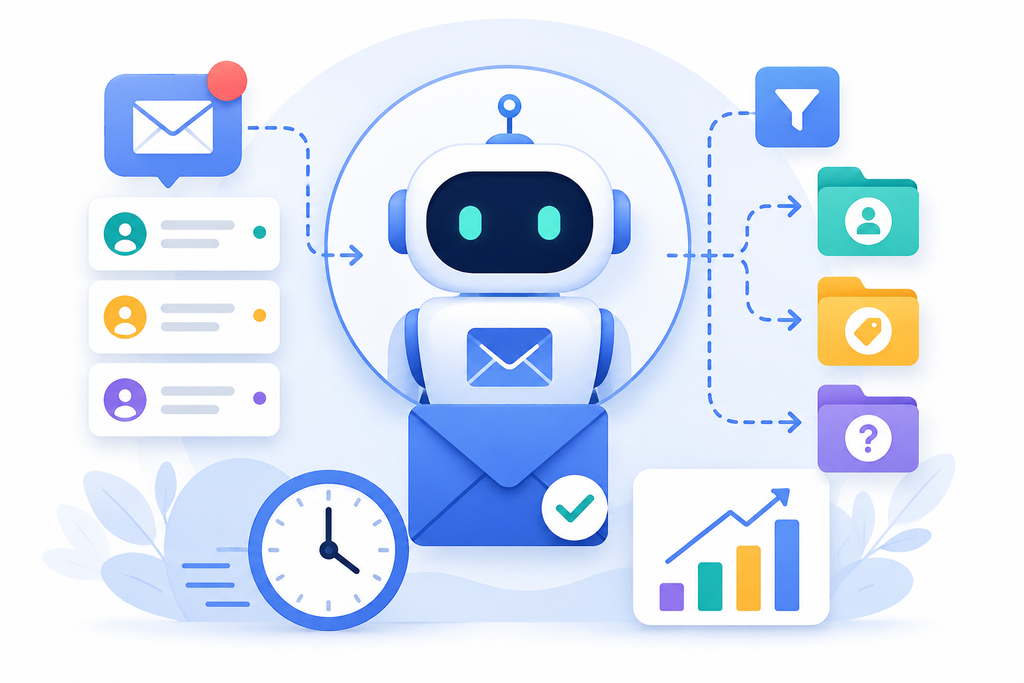
Her team didn’t lack effort. They lacked a sorting mechanism fast enough to keep pace with the sheer volume hitting the inbox every single hour. And that’s the exact problem email triage bots were built to solve, not by replacing the humans who actually resolve customer issues, but by doing the sorting work at a speed no team of people, however dedicated, could ever match manually.
This is the story of how inbox automation tools quietly became one of the highest-leverage investments a customer service operation can make, and why response time, the single metric customers care about more than almost any other, keeps improving fastest at companies that got the triage layer right before worrying about anything else. We’ll walk through what email triage bots actually do, how AI email triage works under the hood, where the real gains show up, and how to roll this out without losing the human judgment that still matters enormously in customer service.
The Real Cost of a Slow Inbox
Response time isn’t just an internal operations metric. It’s one of the clearest predictors of customer satisfaction and retention that support teams have. Research on customer service benchmarks consistently shows that customers form lasting impressions of a company based heavily on how quickly, and how appropriately, their first message gets answered. A customer whose urgent billing issue sits unanswered for six hours because it was buried under two hundred routine inquiries doesn’t just have a bad experience. They tell people about it.
The frustrating part is that most support teams aren’t actually slow at resolving issues once someone’s looking at them. They’re slow because the sorting happens manually, one agent scrolling through an inbox top to bottom, treating a spam newsletter reply with the same initial glance as a genuine emergency, simply because nothing in a standard inbox visually distinguishes the two until someone opens and reads each one.
This is where email triage bots earn their keep. Rather than a human eyeballing fourteen hundred subject lines and hoping their instincts catch the urgent ones, an automated sorting layer reads every incoming message, categorizes it, prioritizes it, and routes it to the right queue or the right person within seconds of arrival.
The email that used to sit unopened for three hours because it landed at message six hundred in the queue now gets flagged and surfaced immediately, because urgency, not arrival order, determines what a human sees first. Teams that adopt email triage bots early tend to describe the shift in almost physical terms, less like adding a tool and more like finally turning the tap down to a manageable flow.
What Email Triage Bots Actually Do
Let’s get specific, because the term gets used loosely enough that a lot of support leaders assume it means something narrower or shallower than it actually is. Email triage bots are software systems that read incoming customer emails, understand their content and intent, and take action, categorizing, prioritizing, routing, and in many cases drafting an initial response, all before a human agent ever opens the message.
Think of it as the customer service equivalent of a hospital triage nurse. That nurse doesn’t diagnose or treat every patient. Their job is to look at everyone coming through the door and decide, quickly and consistently, who needs attention right now and who can safely wait. Email triage bots do exactly that for a support inbox, applying consistent judgment at a scale and speed no human triage process could sustain across thousands of daily messages. That comparison holds up well because it captures what email triage bots are and aren’t meant to do, they sort and flag, they don’t resolve.
In practice, this means the bot identifies what category a message falls into, billing question, shipping complaint, technical issue, general inquiry, cancellation request, and assigns a priority level based on both the content and signals like sentiment, account value, and specific keywords the company has flagged as urgent. It then routes the message to the appropriate team or specific agent, sometimes attaching relevant account information automatically so the human handling it doesn’t have to go dig for context that the bot already gathered in the background.
Some of the more advanced email triage bots go a step further, drafting a suggested response for routine categories, a password reset confirmation, a standard shipping delay acknowledgment, that a human agent can review, edit, and send in seconds rather than composing from scratch. This is where the real time savings compound, not just in sorting, but in accelerating the actual reply itself for the most repetitive categories of inquiry. It’s this drafting capability, more than the sorting alone, that tends to convince skeptical support leaders that email triage bots are worth the setup effort.
How AI Email Triage Actually Works Under the Hood
Natural language understanding. AI email triage starts by parsing the actual content of a message, not just scanning for keywords. Modern systems use natural language processing models trained on large volumes of customer service text, which means they can distinguish between “I want to cancel my order” and “I was wondering if canceling my order is possible,” two phrasings that mean roughly the same thing but would trip up a simplistic keyword-matching system.
Intent classification. Once the content is parsed, the system classifies what the customer actually wants: a refund, a shipping update, a technical fix, an account change, a complaint that needs escalation. This classification is what determines which queue the message ends up in and who’s best equipped to handle it.
Sentiment and urgency scoring. AI email triage also evaluates tone and emotional intensity. A message using words associated with frustration or anger, especially combined with specific risk signals like mentions of canceling a subscription, requesting a chargeback, or threatening to leave a negative review, gets flagged for faster human attention regardless of what category it falls into.
This is genuinely one of the most valuable capabilities of modern email triage bots, because an angry customer buried in a low-priority queue by category alone is exactly the kind of situation that turns into a public complaint or lost customer if it sits too long. The best email triage bots weigh this signal independently of category, so tone can override a mundane subject line when it needs to.
Routing logic. Based on category, urgency, and sometimes specific business rules, like routing anything mentioning a specific high-value client account directly to a dedicated account manager, the message gets sent to the right destination automatically, arriving in a human agent’s queue already labeled, prioritized, and contextualized.
It’s worth being honest about a limitation here too. AI email triage is very good at pattern recognition across large volumes of familiar message types. It’s less reliable on genuinely novel, ambiguous situations that don’t resemble anything in its training data, which is exactly why the technology works best as a triage and acceleration layer, not a full replacement for human judgment on complex or sensitive cases.
Inbox Automation Tools Beyond Just Sorting
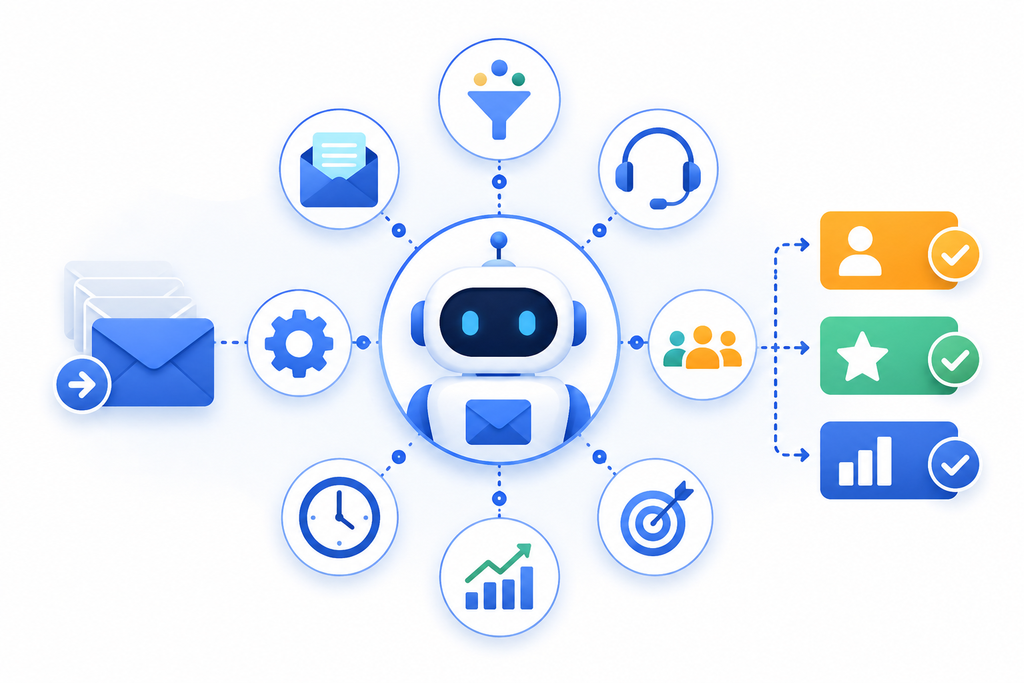
It’s worth zooming out here, because email triage bots are usually one component within a broader category of inbox automation tools that touch the entire customer service workflow, not just the initial sort.
Auto-acknowledgment features send an immediate confirmation the moment a customer’s email arrives, something as simple as “we’ve received your message and a team member will respond within X hours,” which research on customer patience consistently shows reduces perceived wait frustration significantly, even when the actual resolution time hasn’t changed at all. Customers tolerate waiting far better when they know their message actually landed somewhere and someone is coming.
Automated follow-up sequencing handles the unglamorous but important task of nudging a case that’s gone quiet, flagging to a human agent when a customer hasn’t received a reply within a defined window, or automatically checking in with a customer whose issue was marked resolved to confirm it actually stayed resolved.
Knowledge base integration lets inbox automation tools recognize when an incoming question has already been answered in existing help documentation, and either surface that resource directly to the agent as a suggested response, or in some configurations, send it directly to straightforward, low-risk queries without requiring human review at all.
Workload balancing distributes incoming, categorized messages evenly across available agents based on real-time capacity, rather than the older, clunkier system of a shared inbox where agents individually claim whatever email catches their eye first, a process that tends to leave less appealing, more complex cases sitting untouched longer than they should.
The throughline across all of these inbox automation tools is the same one running through email triage bots specifically: removing the administrative friction between a customer’s message arriving and a human being able to act on it productively, so response time reflects actual resolution effort, not just queue-sorting delay. Companies that treat email triage bots as one piece of a larger automation strategy, rather than a standalone fix, tend to see the compounding benefits show up faster.
A Realistic Case Study: SaaS Company, Support Team of Twelve
A mid-market software company based in London, with a support team of twelve agents handling roughly nine hundred customer emails a day across the US and UK, was struggling with an average first-response time of just over eleven hours, well beyond what their enterprise clients expected contractually in some cases.
Manual triage was the core bottleneck. Two senior agents spent the first ninety minutes of every shift simply reading through the overnight queue and manually flagging what looked urgent, time that came directly out of actual issue resolution and, more importantly, time during which genuinely urgent messages sat unaddressed while being sorted.
The company implemented email triage bots integrated with their existing helpdesk platform, configured with sentiment scoring, category-based routing, and automated drafting for the eight most common, most repetitive inquiry types, which together accounted for nearly sixty percent of total volume. Choosing email triage bots that plugged directly into their existing helpdesk, rather than requiring agents to check a second system, turned out to matter enormously for adoption.
Within eight weeks, average first-response time dropped from just over eleven hours to under ninety minutes. The two senior agents who’d spent their mornings on manual sorting were reassigned to handling the genuinely complex, escalated cases the bot correctly identified as needing experienced human attention. Customer satisfaction scores, tracked through post-resolution surveys, improved measurably over the following quarter, with the support lead specifically noting in an internal review that the biggest driver wasn’t faster resolution of complex issues, those still took roughly the same amount of skilled human time, but the near-elimination of routine inquiries sitting untouched for hours simply because nobody had gotten to them yet.
Here’s how the numbers actually broke down before and after implementation:
| Metric | Before Email Triage Bots | After Email Triage Bots |
|---|---|---|
| Average first-response time | 11+ hours | Under 90 minutes |
| Daily email volume | ~900 | ~900 |
| Time spent on manual sorting (senior agents) | 90 minutes/shift | Near zero |
| Routine inquiries handled via auto-draft | 0% | ~60% of total volume |
| Escalation accuracy for urgent/sensitive cases | Inconsistent, human-dependent | Flagged automatically via sentiment scoring |
| Customer satisfaction (post-resolution survey) | Baseline | Measurable improvement over following quarter |
The honest caveat worth including here: the company did see a handful of early misclassifications in the first two weeks, mostly ambiguous messages that blended a routine question with an embedded complaint, which the support lead addressed by refining the bot’s category definitions and adding a human review step for any message where the confidence score fell below a defined threshold, rather than trusting every classification blindly from day one.
Where AI Email Triage Genuinely Struggles
No honest article about this technology should skip its limitations, because overselling AI email triage as flawless is exactly the kind of AI cliché that erodes trust with an audience that’s smart enough to know better.
Ambiguous, multi-issue emails remain genuinely difficult. A customer who opens with a compliment, mentions a shipping delay, and closes by asking about a completely unrelated billing question in the same message can confuse categorization logic that expects a single primary intent per email. Good systems flag these for human review rather than forcing a confident but wrong classification, and that fallback behavior matters enormously in vendor selection.
Sarcasm and culturally specific phrasing, particularly relevant given the US and UK audience here, can trip up sentiment scoring. British understatement, “not exactly thrilled with this,” carries real frustration that a model trained primarily on more direct American phrasing might underweight, and vendors serving both markets need demonstrated accuracy across regional language patterns, not just a single training dataset.
Highly sensitive or legally significant messages, safety complaints, potential litigation, anything touching regulatory compliance, should always route to human review regardless of how confidently the system categorizes them. This is a deliberate design choice good implementations make, not a gap to quietly work around, and it’s worth confirming explicitly with any vendor during evaluation.
Key Features to Look For in Email Triage Bots
Configurable confidence thresholds. The system should allow support leaders to set the point at which a low-confidence classification gets routed to a human for review rather than acted on automatically, rather than forcing every message through the same fully automated path regardless of ambiguity.
Transparent categorization reasoning. When a message gets flagged as high priority, an agent should be able to see why, specific phrases, sentiment indicators, account signals, rather than receiving an opaque priority label with no explanation attached.
Integration with existing helpdesk and CRM platforms. Fragmented systems undermine the value of automation entirely. The strongest email triage bots plug directly into a company’s existing support stack rather than requiring an entirely separate tool that agents have to check alongside everything else. This single feature, more than any other, determines whether email triage bots actually get adopted by a busy team or quietly abandoned within a month.
Regional language and dialect accuracy. For companies serving both US and UK customers, this matters more than it might initially seem. Confirm during evaluation that sentiment and intent classification perform well across both regional phrasing patterns, not just one.
Human override and continuous learning. The system should improve over time as agents correct misclassifications, and that feedback loop should be visible and straightforward, not buried in an admin panel nobody checks. This is what keeps email triage bots accurate as customer language and product lines evolve, rather than gradually drifting out of sync with reality.
Auto-drafting with mandatory human review for anything beyond routine categories. Auto-drafted responses are genuinely valuable for the most repetitive, lowest-risk inquiry types, but should never bypass human review entirely for anything touching billing, cancellations, or complaints.
Common Objections and Honest Answers
“Our customers will know they’re talking to a bot and feel like we don’t care.” This concern conflates two very different things. Email triage bots sort and prioritize messages behind the scenes; they don’t necessarily replace the human voice customers actually interact with. Even auto-drafted responses, when reviewed and personalized by a human agent before sending, don’t read as robotic to the customer receiving them, because a person is still the one hitting send. Customers rarely know email triage bots were involved at all, and honestly, they don’t need to.
“This feels risky for anything sensitive or complicated.” This is exactly the right instinct, and it’s why confidence thresholds and mandatory human review for sensitive categories matter so much in implementation. AI email triage is genuinely strong at sorting high volume, familiar inquiry types quickly. It shouldn’t be trusted blindly with genuinely novel or high-stakes situations, and any reputable system is built with that distinction in mind.
“We’re a small team, this feels like enterprise-only technology.” This was a fair assumption a few years ago. It’s less true now. Inbox automation tools built specifically for smaller support teams have become widely available, with far simpler setup than the enterprise platforms originally built for companies handling tens of thousands of daily messages.
“What if the bot misroutes something urgent?” This is a real risk with poorly configured systems, which is exactly why sentiment and urgency scoring, not just category-based routing, matters so much. A well-built system flags urgency signals independently of category, so an angry message about a routine topic still gets surfaced fast, rather than getting stuck in a low-priority queue just because its subject matter seemed mundane on the surface.
Rolling Out Email Triage Bots Without Disrupting Your Team
Getting this right depends heavily on sequencing, and rushing a full rollout tends to backfire, both on classification accuracy and on agent trust in the new system. Any rollout of email triage bots benefits from treating the first month as a genuine pilot rather than a finished implementation.
Start with a defined pilot period running the bot alongside existing manual triage, comparing its categorization and routing decisions against what experienced agents would have done, before switching over fully. This builds confidence in accuracy and surfaces configuration gaps before they affect live customer response time.
Involve your most experienced agents directly in defining category rules and confidence thresholds. Their intuition about what actually signals urgency, developed over years of reading customer emails, is exactly the input that makes email triage bots accurate rather than generic. Skipping this step is the single most common reason email triage bots underperform in their first few months.
Set a conservative confidence threshold initially, routing more messages to human review than might ultimately be necessary, and gradually loosen that threshold as the system demonstrates consistent accuracy across your specific customer base and message patterns.
Train the team explicitly on how to interpret the bot’s categorization and priority flags, and make correcting misclassifications simple and quick, since that ongoing feedback is what improves accuracy over time rather than leaving the system static after initial setup.
Track response time and customer satisfaction together, not response time alone. A system that speeds up replies while quietly reducing quality or personalization isn’t actually a win, and measuring both metrics honestly keeps the rollout accountable to what actually matters for the customer relationship.
The Future of Customer Service Inboxes
The direction here mirrors what’s happened across most operational functions in customer service over the past several years: tasks that are repetitive, high-volume, and pattern-based are steadily shifting to automation, freeing human attention for the complex, emotionally nuanced, and genuinely judgment-dependent work that still requires a person.
Email triage bots are becoming standard infrastructure for support teams the same way helpdesk software itself became standard over a decade ago. The differentiator going forward won’t be whether a company uses inbox automation tools, most competitive support operations will, it’ll be whether that automation was configured thoughtfully, with sensible guardrails and genuine ongoing oversight, or bolted on quickly and left unmonitored. Companies that treat email triage bots as a living system rather than a one-time purchase will be the ones customers actually notice getting faster, quarter after quarter.
Support leaders in both the US and UK who get ahead of this aren’t chasing the flashiest AI email triage demo. They’re the ones treating implementation as an ongoing discipline, refining categories, adjusting thresholds, and measuring real customer outcomes, not a one-time setup they configure once and forget.
FAQ
Do email triage bots replace human customer service agents entirely? No. They handle the sorting, prioritizing, and in some cases drafting of routine responses, but complex, sensitive, or ambiguous cases still require human judgment, and reputable systems are built with that distinction as a core design principle, not an afterthought.
How accurate is AI email triage at detecting genuinely urgent messages? Modern systems using sentiment and urgency scoring, not just category classification, are generally quite accurate at flagging emotionally charged or high-risk messages, though confidence thresholds and human review fallbacks remain important safeguards for ambiguous cases.
Are inbox automation tools only useful for large support teams? No. Smaller teams often see the most dramatic relative time savings, since they have the least slack to absorb manual sorting bottlenecks compared to a well-staffed enterprise support operation.
Will customers notice if a company uses email triage bots? Generally not directly, since the sorting happens behind the scenes before a human ever engages with the customer. What customers do notice is faster, more consistent response times, which is the actual point of the technology.
How long does it typically take to see meaningful results after implementation? Most companies see measurable improvement in response time within four to eight weeks, though full confidence in classification accuracy across all message types typically takes a full quarter of ongoing refinement.
What’s the biggest mistake companies make when adopting this technology? Skipping the pilot period and switching to full automation immediately, without comparing the bot’s decisions against experienced human judgment first, which leaves configuration gaps undiscovered until they’ve already affected real customers.
Read About Guide to ai