
Ai Tools For Photo Editing have become essential for beginners and professionals alike. The line between “photo editor” and “AI tool” has effectively disappeared every serious editing platform now ships generative features as standard, not as an add-on. This guide covers how AI photo editing and automated image retouching actually work, which tools genuinely earn their reputation right now, and the workflow habits that separate a polished, professional result from the slightly off, over processed look that gives AI editing away. Written for photographers, content creators, and small business owners in the US and UK who want real guidance, not a sponsored top-ten list.
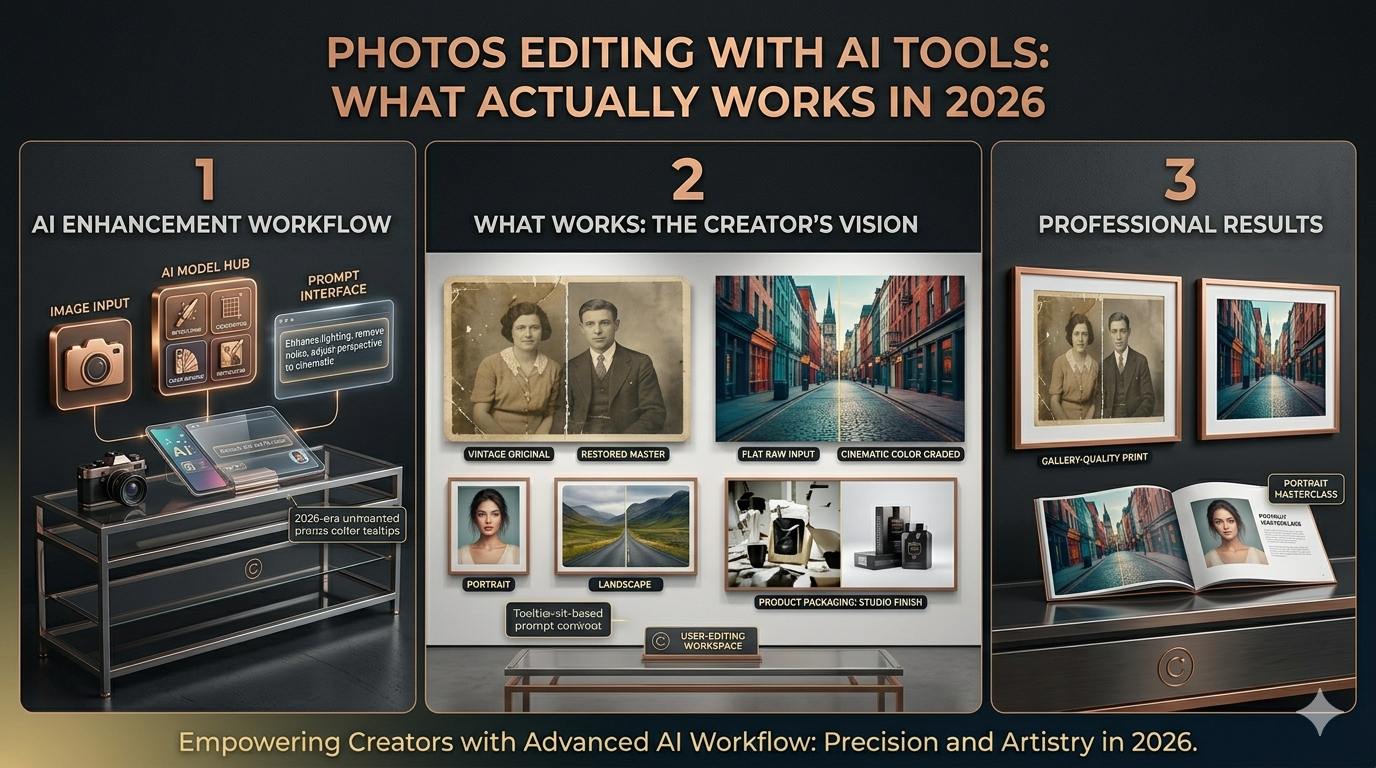
A wedding photographer I know used to budget two full days of editing for every event she shot. Culling through two thousand images, color-matching across different lighting conditions, retouching the inevitable blemish or stray hair, exporting in three different formats for three different delivery channels by the time she finished, she’d often lost whatever creative energy the actual wedding had given her.
She told me recently that her editing time for a comparable shoot is now closer to four hours. Not because she’s cutting corners. Because an AI tool now handles the culling and the initial color matching across her entire shoot in minutes, learning her personal editing style well enough that her manual touch-ups are mostly fine-tuning rather than starting from a blank slate.
That shift from AI editing as a gimmicky filter to AI editing Photos Editing with AIas genuine production infrastructure is the real story of the past eighteen months in this space. This article is about understanding what these tools actually do, which ones are worth your time, and how to use them without producing images that have that telltale, slightly-too-perfect AI sheen.
- Why AI Photo Editing Stopped Being a Novelty
- The Tools That Actually Matter Right Now
- Adobe Photoshop with Firefly AI: The Production Standard
- Laminar Neo: The Creative, AI-First Option
- Aftershoot and Imagen AI: The Workflow Specialists
- Topaz Photo AI: The Restoration Specialist
- Mobile and Accessible Options automated image retouching
- Quick Comparison: Choosing Your Tool
- How Automated Image Retouching Actually Works
- A Practical Workflow That Avoids the “AI Look”
- Start With a Genuinely Good Base Image
- Apply Skin and Portrait Retouching With Restraint
- Use Generative Fill for Removal, Not Wholesale Reinvention
- Match Your Tool’s Output to Your Actual Use Case Photos Editing with AI
- Review at Actual Size, Not Just Thumbnail
- Where AI Photo’s Editing with AI Is Genuinely Transformative
- The Honest Limitations Worth Knowing
- Frequently Asked Questions
- A Final Thought Photos Editing with AI
Why AI Photo Editing Stopped Being a Novelty
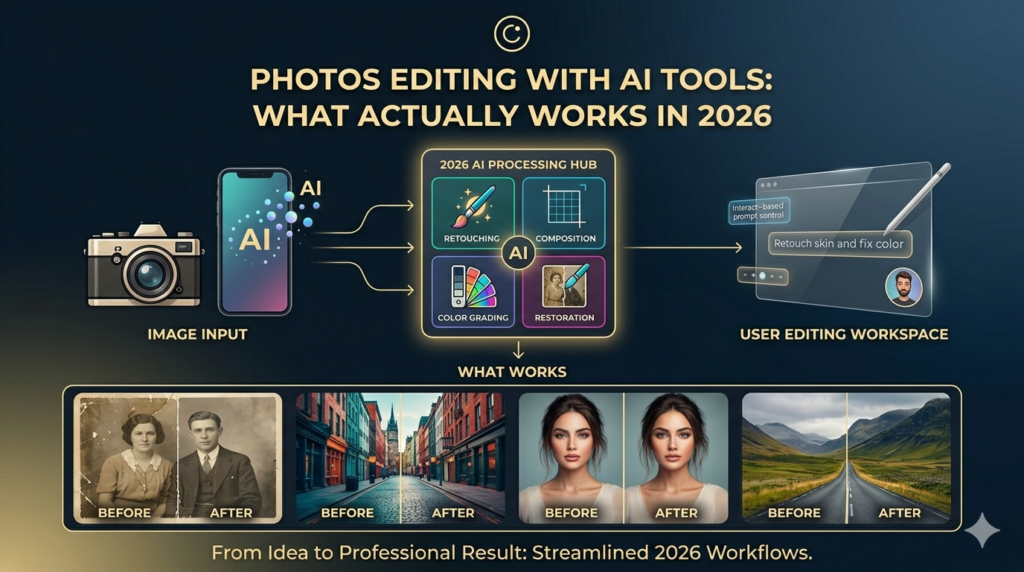
It’s worth being specific about what changed, because “AI editing” meant something genuinely different even two or three years ago.
Modern AI editors analyze your images for exposure, color, subject details, sharpness, and style preferences, then automate the repetitive groundwork that used to consume hours of manual labor culling thousands of images down to the keepers, matching your established editing style across an entire shoot, correcting inconsistencies, and handling retouching work that previously required pixel-level manual masking.
The Ai Tools For Photo Editing genuinely significant shift is generative editing. Photoshop’s Generative Fill lets you add, remove, or replace elements in your photos using text prompts, and AI-powered selection tools have become remarkably accurate, saving hours of manual masking work that used to be the most tedious part of serious photo editing. You’re no longer limited to adjusting what’s already in the frame you can meaningfully alter the content of the image itself, guided by a written description rather than painstaking manual work. The pace of development here has been genuinely fast. Photoshop shipped major new generative tools at Adobe MAX, Skyla rolled out comparable generative features in Laminar Neo, and even Apple has folded AI-assisted editing and Ai Tools For Photo Editing into its own creative software ecosystem. The standard expectation for a serious photo editor in 2026 includes generative capability as a baseline feature, not a novelty add-on.
The Tools That Actually Matter Right Now
The market has sorted itself into a few distinct categories, each solving a different problem. Here’s an honest breakdown of where each one earns its place.
Ai Tools For Photo Editing Adobe Photoshop with Firefly AI:
Photoshop remains the industry standard for photo editing, and its integration of Firefly AI has made an already powerful tool considerably more capable. Generative Fill, Generative Expand, and an increasingly accurate set of AI-powered selection tools mean tasks that once required painstaking manual masking removing a distracting background element, extending a frame for a different aspect ratio, swapping out a sky now happen in a fraction of the time.
For production work where the final file needs precise, pixel-level control alongside generative convenience, Photoshop with Firefly remains the most complete option, pairing AI assistance with the kind of granular manual control that professional retouching often still requires. Pricing runs around $23 a month as part of an Adobe Creative Cloud subscription, with a free trial available to test before committing.
Best for: professionals who need both generative speed and precise manual control in a single environment, particularly for final Photos Editing with AI production files.
Laminar Neo: The Creative, AI-First Option
Ai Tools For Photo Editing Luminary Neo was one of the first photo editors to build AI integration into the core of the product rather than bolting it on as a feature, and that philosophy still defines it. Recent updates added a generative trio GenStat, Geneses, and Gen Expand directly answering Adobe’s equivalent tools, alongside distinctive features like Atmosphere AI for adding elements like fog or smoke, and dedicated AI portrait tools for face, skin, and body adjustments.
Laminar Neo is the tool you reach for when you want dramatic, stylized, punchy edits without Photoshop’s steeper learning curve. Sky replacements, portrait bokeh simulation, skin smoothing, and color grading are accessible through a handful of intuitive sliders rather than complex manual technique, which makes it a genuinely good fit for photographers particularly in travel, editorial, and creative portrait work who want strong visual impact without investing years into mastering a more complex tool.
The honest limitation: Luminar Neo lacks robust photo management tools like keyword tagging and facial recognition, making it better suited to creative editing of individual images than organizing and processing a large photo library end to end.
Best for: photographers who want striking, stylized results quickly, without committing to Photoshop’s full learning curve.
Aftershoot and Imagen AI: The Workflow Specialists
These two platforms solve a different problem entirely from Photoshop or Laminar not creative editing, but the repetitive production work that eats into a working photographer’s time at scale.Both tools automate culling and learn your established editing style, then apply it consistently across an entire shoot, correcting inconsistencies, performing baseline retouching, and removing the repetitive groundwork that slows photographers down. Critically, the better tools in this category enhance your workflow without replacing your creative control they learn your style and scale it, rather than imposing a generic look on every image.For a wedding or event photographer processing thousands of images per shoot, this category of tool is often where AI editing delivers the most dramatic practical time savings, even if it’s less visually flashy than generative fill demos.
Best for: working photographers handling high shoot volumes who need to preserve a consistent personal style across thousands of images without manually touching each one.
Topaz Photo AI: The Restoration Specialist
A more narrowly focused tool, Ai Tools For Photo Editing concentrates specifically on denoising, upscaling, sharpening, and rescuing low-quality images tasks that other generative-focused tools handle less precisely. If your work involves restoring older or lower-resolution images, recovering detail from noisy low-light shots, or upscaling images for large-format printing, Topaz’s specialization in this specific category outperforms more general-purpose editors.
Best for: restoration work, noise reduction, and upscaling tasks where image quality recovery is the primary goal.
Mobile and Accessible Options automated image retouching
For lighter editing needs, a strong tier of accessible tools has emerged. Canva combines straightforward photo editing with ready-made templates, making it a strong choice for social media graphics and marketing materials rather than fine-art or professional photography retouching. Mobile-first apps have developed genuinely capable “text-to-edit” capabilities, letting users describe a desired change in plain language and have the app execute it, narrowing the gap between professional desktop tools and casual mobile editing considerably.
Quick Comparison: Choosing Your Tool
| Tool | Standout Strength | Learning Curve | Best For |
|---|---|---|---|
| Photoshop + Firefly | Precision + generative power combined | Steep | Professional production work |
| Luminar Neo | Fast, dramatic stylized edits | Gentle | Creative portrait and landscape work |
| Aftershoot / Imagen AI | Style-consistent batch processing | Moderate | High-volume event/wedding photography |
| Topaz Photo AI | Denoising, upscaling, restoration | Gentle | Image quality recovery |
| Canva | Templates, quick social graphics | Very gentle | Marketing and social media content |
How Automated Image Retouching Actually Works
It’s worth understanding the mechanism behind automated retouching, because it explains both why these tools are so capable and why they occasionally produce results that feel slightly uncanny.
AI retouching tools typically work by training on enormous datasets of before-and-after edited images, learning statistical patterns about what a “well-edited” version of a given type of photo tends to look like appropriate skin smoothing without losing texture entirely, color grading that matches common stylistic preferences, exposure correction that balances highlights and shadows naturally. When you apply automated retouching to a new image, the model is essentially predicting what an experienced human editor would likely do to that specific photo, based on everything it learned during training.
This is genuinely different from older “smart” filters, which applied fixed, predetermined adjustments regardless of the specific image content. Modern AI retouching tools perform semantic scene understanding recognizing that this region is skin, that region is sky, this is hair, that’s fabric and apply contextually appropriate adjustments to each region rather than a single blanket filter across the whole frame.
The generative Ai Tools For Photo Editing go a step further, not just adjusting existing pixels but synthesizing entirely new image content that didn’t exist in the original photo extending a background, replacing an object, filling in a removed element with newly generated, contextually consistent detail.
A Practical Workflow That Avoids the “AI Look”
Knowing which tool to use is only part of the equation. Here’s how to actually use these tools without producing the overprocessed, slightly artificial look that experienced eyes pick up on immediately.
Start With a Genuinely Good Base Image
AI editing tools are remarkably good at enhancement and correction. They’re considerably less good at fully rescuing an image with fundamentally poor composition, severe underexposure, or motion blur in the wrong place. Ai Tools For Photo Editing Treat AI tools as a way to elevate a solid base image, not as a substitute for getting the fundamentals right at the point of capture.
Apply Skin and Portrait Retouching With Restraint
This is where the “AI look” shows up most obviously and most often. Default AI skin smoothing settings frequently push further than a natural result requires, producing the plastic, overly uniform skin texture that’s become an easy visual signal of heavy-handed AI editing. Dial back the default intensity, and pay specific attention to preserving genuine skin texture pores, fine lines, the subtle variation that makes a face look like an actual photograph of a person rather than a rendered approximation.
Use Generative Fill for Removal, Ai Tools For Photo Editing
Generative tools are genuinely excellent at removing a distracting object, cleaning up a background, or making a subtle compositional adjustment. They’re considerably riskier when used to substantially reinvent large portions of an image backgrounds replaced wholesale, major elements generated from scratch because the more synthetic content you introduce, the higher the chance of subtle inconsistencies in lighting, perspective, or texture that an attentive viewer will eventually notice, even if they can’t immediately articulate why something feels slightly off.
Match Your Tool’s Output to Your Actual Use Case Photos Editing with AI
Heavily stylized, dramatic AI editing might be exactly right for editorial or creative portrait work, and exactly wrong for documentary wedding photography, where clients generally want the authentic emotional moment preserved rather than a heavily reinterpreted version of it. Choose your editing intensity based on what the image is actually for, not based on what the tool defaults to or what looks most impressive in isolation.
Review at Actual Size, Not Just Thumbnail
AI-generated and AI automated image retouching retouched content can look flawless at thumbnail size and reveal subtle artifacts slightly warped texture, an inconsistency in lighting direction, a piece of generated detail that doesn’t quite track logically only when reviewed at full resolution. Make a habit of reviewing generative edits at 100% zoom before considering them finished, particularly for any image headed to print or large-format display.
Where AI Photo’s Editing with AI Is Genuinely Transformative
High-volume event and wedding photography. This is arguably the category seeing the most dramatic practical impact tools that learn an established editing style and apply it consistently across thousands of images are compressing days of work into hours, without sacrificing the photographer’s distinctive look.
E-commerce and product photography. Background removal, lighting consistency across large product catalogs, and automated enhancement that previously required either expensive professional retouching or significant in-house editing time have become genuinely accessible to small businesses without dedicated photo editing staff.
Restoration of old or damaged photographs. AI-powered denoising, upscaling, and detail recovery tools have made meaningful restoration of old family photos, low-resolution archival images, or damaged prints accessible without specialized restoration expertise.
Social media and marketing content at speed. For businesses and creators who need a consistent volume of polished visual content without a dedicated design team, AI editing tools have meaningfully lowered the skill and time barrier to producing professional-looking output.
The Honest Limitations Worth Knowing
Authenticity concerns are real, particularly in journalism and documentary contexts. As generative editing capability has grown, so has scrutiny around what constitutes an acceptable edit versus a fabrication. Publications and platforms are actively developing disclosure standards for AI-edited and AI-generated imagery, and the norms here are still being worked out what’s acceptable for a creative portrait may be entirely inappropriate for photojournalism or documentary work.
Generative content can introduce subtle but meaningful errors. Hands, reflections, text within an image, and complex overlapping elements remain the areas most likely to produce visible artifacts in generative edits, even in the strongest current tools. Always review generative work carefully before considering it final, particularly for anything destined for print or close inspection.
Over-reliance can erode a distinctive editing voice. Tools that learn and replicate a consistent style are genuinely valuable for efficiency, but leaning entirely on automated style-matching across years of work can quietly homogenize what was previously a distinctive personal aesthetic. The most effective users treat these tools as accelerating their style, not defining it for them.
Subscription costs add up across a serious workflow. Between a primary editor, a specialized restoration tool, and a workflow automation platform, professional photographers can find themselves managing several AI tool subscriptions simultaneously, which is worth factoring into the actual cost-benefit calculation rather than evaluating each tool’s price in isolation.
Frequently Asked Questions
Q: Is AI photo editing the same thing as AI image generation? Related but distinct. AI photo editing works with an existing photograph, enhancing, correcting, or selectively modifying real captured content. AI image generation creates entirely new images from text prompts with no underlying photograph at all. The categories are increasingly blending generative fill tools insert AI-generated content into real photos — but a fully AI-generated image and an AI-edited photograph of a real scene remain conceptually different things, with different implications for authenticity and disclosure.
Q: Will AI editing make my photos look fake or over processed? Only if you let default settings run at full intensity without review. Most AI editing artifacts that read as “fake” come from over-application skin smoothing pushed too far, generative content extended too aggressively rather than the underlying technology being inherently unable to produce natural-looking results. Restraint and careful review at full resolution are the main defenses against the over processed look.
Q: Which AI photo editing tool is best for someone just starting out? For general creative editing without a steep learning curve, Luminar Neo is widely recommended as the more approachable entry point compared to Photoshop. For social media graphics and marketing content specifically, Canva’s combination of templates and basic AI editing tools requires essentially no editing background to produce usable results.
Q: Do professional photographers still need traditional editing skills if they use AI tools? Yes, meaningfully so. The most effective use of AI editing tools comes from photographers who understand what good editing actually looks like and can recognize when an automated result needs human correction. AI tools accelerate execution; they don’t replace the editorial judgment of knowing what a genuinely well-edited image should look like for a specific purpose and audience.
Q: Can AI photo editing tools remove objects from photos convincingly? Generally yes, and this has become one of the more reliable generative editing capabilities tools like Photoshop’s Generative Fill and Luminar’s GenErase handle object removal with increasing sophistication, automatically generating contextually appropriate replacement detail. Results are strongest in relatively simple backgrounds and can become less reliable in complex scenes with intricate textures, reflections, or overlapping elements.
Q: Is it ethical to use AI editing for client work without disclosing it? This depends heavily on context and the specific industry norms involved. For commercial, marketing, and creative portrait work, AI-assisted editing is now broadly accepted as standard practice without requiring explicit disclosure. For journalism, documentary photography, and certain contractual or legal contexts, disclosure expectations are stricter and actively evolving when in doubt, particularly for editorial or journalistic work, transparency about the extent of AI involvement is the safer practice.
A Final Thought Photos Editing with AI
The most useful way to think about AI photo editing tools isn’t as a replacement for photographic skill, but as a genuine shift in where that skill gets applied. The tedious, repetitive parts of editing culling thousands of images, matching exposure across inconsistent lighting, basic retouching are increasingly handled by tools that have gotten remarkably good at predicting what a skilled human editor would do.
Ai Tools For Photo Editing What hasn’t changed, and likely won’t anytime soon, is the editorial judgment that determines whether an edit actually serves the image. Knowing when to pull back on automated Image retouching suggestions, recognizing the difference between enhancement and overcorrection, understanding what a specific image is actually for and editing accordingly that’s still entirely a human skill, and it’s arguably more valuable now than it was when editing required hours of manual technical labor to even attempt.
The photographers and creators getting the most out of this moment aren’t the ones who’ve automated their editing entirely. Ai Tools For Photo Editing They’re the ones who’ve automated the parts that never required their judgment in the first place, freeing up real time and attention for the choices that actually matter.
Read about 10 AI Marketing Tools