Somewhere between your third back-to-back call of the day and the moment you realize you’ve forgotten what was actually decided in the first one, you’ve probably had the same thought every other executive has had at least once: “I need to stop relying on my memory for this.” That thought is exactly why AI meeting transcription has quietly become one of the most talked-about categories in corporate software over the last two years. It’s not flashy. It’s not the kind of tool people brag about at conferences. But it’s the kind of tool that, once you’ve used it properly, you genuinely cannot imagine going back without.
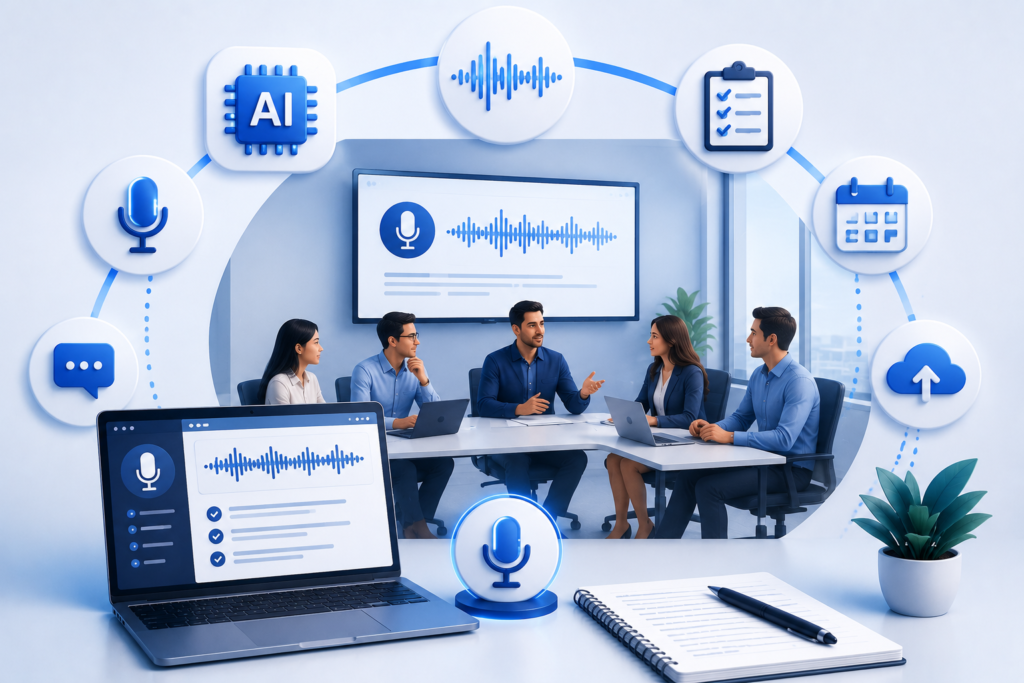
This guide exists because choosing the right AI meeting transcription tool is no longer a nice-to-have decision buried in an IT procurement spreadsheet. It’s a decision that touches legal exposure, data privacy, team culture, and honestly, how much trust your organization places in a machine sitting silently in every conversation you have. So let’s walk through this properly, the way a colleague who’s already been through the trial-and-error would explain it to you over coffee.
Table of Contents
- Why AI Meeting Transcription Suddenly Matters to Executives
- What Corporate Note Taker Bots Actually Do (And What They Don’t)
- The Real Business Case for AI Meeting Transcription
- Key Features That Separate Good Tools From Great Ones
- Security, Privacy, and Compliance Considerations
- How to Evaluate Vendors Without Getting Fooled by Demos
- Common Mistakes Executives Make When Rolling This Out
- Building a Culture That Actually Uses These Tools Well
- A Practical Rollout Framework
- Looking Ahead: Where This Technology Is Heading
- Final Thoughts
- Frequently Asked Questions
Why AI Meeting Transcription Suddenly Matters to Executives
Ten years ago, if you’d told a CEO that a piece of software would sit in on every leadership call and produce a searchable, summarized record of what was said, most would have laughed you out of the boardroom. Now it’s practically expected. Hybrid work changed the math entirely. When half your team is in a conference room and the other half is dialing in from three time zones, the old habit of “someone jots notes and emails a recap” simply breaks down. Details get lost. Commitments get fuzzy. And nobody has the patience to scrub through an hour-long recording to find the thirty seconds where a decision actually happened.
AI meeting transcription solves that problem in a way that feels almost embarrassingly obvious once you’ve seen it work. The software listens, transcribes in real time, identifies speakers, and often produces a structured summary with action items attached to specific people. It’s not magic. It’s pattern recognition and language modeling doing what humans do slowly, except doing it instantly and consistently, meeting after meeting after meeting.
What’s interesting is how the adoption curve has played out. It didn’t start in the C-suite. It started with individual contributors and mid-level managers who got tired of missing details, and it worked its way upward as executives noticed their own teams were referencing “the transcript” constantly. By the time most leadership teams formally evaluated AI meeting transcription tools, half their organization was already using some version of one informally, often without IT’s blessing. That’s a governance headache, but it’s also proof of genuine demand.
There’s also a less obvious driver here worth naming honestly: accountability. When there’s a written record of who said they’d do what by when, follow-through improves. Not because people are lazy, but because human memory is genuinely unreliable, and a transcript removes the ambiguity that lets commitments quietly evaporate.
What Corporate Note Taker Bots Actually Do (And What They Don’t)
Let’s get specific, because “AI meeting transcription” gets thrown around loosely, and the corporate note taker bots on the market today vary wildly in sophistication.
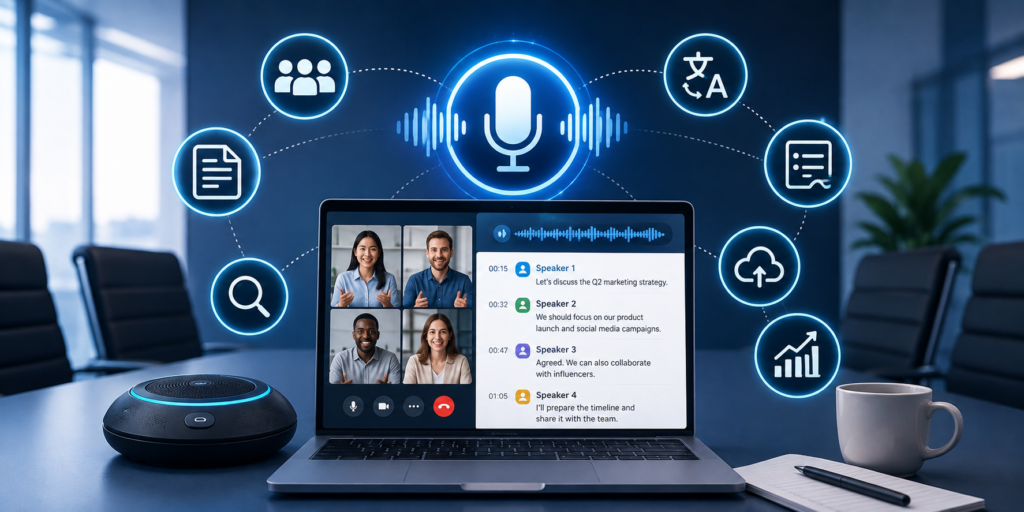
At the most basic level, these tools join your video call (or dial into an audio line), capture the audio, and convert speech to text. That’s transcription in its purest form. But the tools that executives actually care about go several layers deeper:
- Speaker diarization correctly attributing each sentence to the right person, even when people talk over each other.
- Summarization condensing an hour of conversation into a few paragraphs of what actually mattered.
- Action item extraction pulling out commitments, deadlines, and owners automatically.
- Searchability letting you type “when did we discuss the Q3 budget cut” and instantly jump to that exact moment across weeks of meetings.
- Integration pushing summaries and tasks into tools like Slack, Notion, Salesforce, or your CRM without manual copy-pasting.
What these bots don’t do, despite what some marketing pages imply, is replace judgment. A corporate note taker bot can tell you what was said. It cannot tell you what should happen next, why a decision was politically sensitive, or which action item is actually going to slip through the cracks because the owner is already overloaded. That’s still your job. The tool just makes sure you’re working from an accurate record instead of a half-remembered version of events.
It’s also worth noting that “bot” is doing a lot of work in that phrase. Some of these tools literally appear as a visible participant in your Zoom or Teams call, complete with a name and an avatar, which some teams find reassuring (transparency) and others find slightly unsettling (it’s a constant visual reminder that everything is being recorded). We’ll come back to that tension later, because it matters more than most vendors want to admit.
The Real Business Case for AI Meeting Transcription
If you’re the one who has to justify this line item to finance, here’s the honest version of the pitch, stripped of buzzwords.
Time recovery. The average executive spends somewhere between 20 and 25 hours a week in meetings. A meaningful chunk of that time is spent taking notes, re-explaining things that were already discussed, or asking someone to send a recap. AI meeting transcription doesn’t reduce the number of meetings, but it recovers the cognitive bandwidth that used to go toward documentation. People can actually participate instead of scribbling.
Institutional memory. When a key employee leaves, they take their notebooks, their mental notes, and their informal understanding of why decisions were made with them. A searchable archive of meeting transcripts means that institutional knowledge doesn’t walk out the door. This matters enormously during onboarding, during audits, and during those awkward moments six months later when someone asks “wait, did we actually agree to that?”
Consistency in high-stakes conversations. In sales, legal, and HR contexts, having an accurate record protects everyone. Sales teams use transcripts to understand what a prospect actually said they cared about, rather than relying on a rep’s summary written from memory after a long day. Legal and compliance teams use them to demonstrate that proper process was followed. HR uses them, carefully and with appropriate consent, to ensure sensitive conversations are documented accurately.
Faster follow-through. When action items are automatically extracted and assigned, things get done faster. There’s less “I don’t remember agreeing to that” and more “yes, it’s right here in the summary, due Friday.”
None of this is revolutionary on its own. But stacked together, across an entire organization, over a year, the cumulative effect on operational clarity is significant. Companies that have rolled out AI meeting transcription thoughtfully report fewer miscommunications, faster decision cycles, and perhaps most tellingly fewer meetings that end with “let’s just schedule another call to clarify this.”
Key Features That Separate Good Tools From Great Ones
Not all AI meeting transcription platforms are built the same, and the differences show up exactly when you need them most. Here’s what actually separates a tool worth paying for from one that will frustrate your team within a month.
Transcription Accuracy Under Real Conditions
Demo accuracy and real-world accuracy are two very different things. A vendor demo happens in a quiet room with clear audio and native English speakers reading from a script. Your actual meetings involve accents, cross-talk, background noise, technical jargon specific to your industry, and someone’s dog barking in the background. Ask vendors directly how their accuracy holds up with non-native speakers, industry-specific terminology, and multiple participants talking over one another. If they can’t give you a straight answer, that’s your answer.
Speaker Identification
This sounds like a minor detail until you’re reading a transcript of a tense negotiation and can’t tell who said what. Good corporate note taker bots use voice fingerprinting to consistently identify the same speaker across multiple meetings, not just within a single session.
Summarization Quality
There’s a meaningful difference between a tool that produces a generic bullet-point summary and one that understands context well enough to highlight what actually mattered. Test this yourself. Feed the same meeting into two or three tools and compare the summaries side by side. You’ll notice quickly which ones are genuinely useful and which ones just restate the transcript in shorter form.
Integration Depth
A transcription tool that lives in its own silo is only marginally useful. The best AI meeting transcription platforms integrate deeply with your existing stack pushing action items into Asana or Jira, syncing summaries into your CRM after a sales call, or feeding notes directly into your team’s shared documentation.
Multi-language Support
If your organization operates across the US and UK, or has any international presence at all, language and dialect handling matters. British English idioms, regional accents, and mixed-language meetings can trip up transcription engines that were primarily trained on American English.
Admin Controls and Governance
This is the feature category executives care about most and vendors talk about least. You need granular control over who can enable the bot, which meetings get recorded, how long data is retained, and who can access transcripts after the fact. Without this, you’re one careless click away from an uncomfortable HR situation or worse.
Editing and Correction Tools
No transcription engine is perfect. The ability for a human to quickly review, correct, and finalize a transcript before it’s distributed matters more than most people realize until they’ve seen an AI mishear “we’re not going to hit that deadline” as “we’re now going to hit that deadline.”
Security, Privacy, and Compliance Considerations
This is the section that deserves more attention than it usually gets, because the stakes here are genuinely high. You’re introducing a tool that listens to and records some of the most sensitive conversations in your company layoffs, legal strategy, M&A discussions, performance reviews, client negotiations. Treating this like any other SaaS procurement decision is a mistake.
Consent and notification. In many US states and across the UK and EU, recording a conversation without informing participants can create legal exposure. Two-party consent laws in states like California mean everyone on a call needs to know they’re being recorded, not just the person who initiated the meeting. Reputable AI meeting transcription vendors build automatic consent notifications into their bots, but you still need to confirm this is configured correctly and that your team understands the legal requirements in every jurisdiction you operate in.
Data residency and retention. Where is the transcript actually stored? For how long? Can you set automatic deletion policies for sensitive meeting categories? Financial services and healthcare organizations in particular need to confirm that vendors meet relevant regulatory standards, whether that’s SOC 2, HIPAA, GDPR, or industry-specific frameworks.
Access controls. Who inside your organization can search and read transcripts of any meeting, versus only the meetings they attended? This is where a lot of companies get burned. A transcription archive with loose access controls essentially becomes a searchable database of every sensitive conversation in the company, accessible to anyone with the right login credentials.
Third-party training data. Ask vendors directly whether your meeting content is used to train their underlying AI models. Some vendors anonymize and use aggregate data for model improvement; others contractually guarantee your data never leaves your instance. This should be spelled out explicitly in the contract, not implied in a privacy policy nobody reads.
Vendor security posture. Standard due diligence applies here just as it would for any tool handling sensitive data penetration testing history, breach disclosure practices, encryption standards both at rest and in transit.
I’ll be direct about something most vendors won’t say out loud: the convenience of AI meeting transcription creates a genuine tension with privacy. The easier it is to search every conversation that’s ever happened at your company, the more valuable and more dangerous that archive becomes if it falls into the wrong hands or gets misused internally. Good governance isn’t optional here. It’s the price of admission.
How to Evaluate Vendors Without Getting Fooled by Demos
Every vendor demo is designed to make their product look flawless. Here’s how to see past that.
Run a real meeting through it, not a scripted one. Ask the vendor for a trial period and use it in an actual internal meeting with your usual mix of accents, interruptions, and background noise. This is the single most revealing test you can run.
Ask for references from companies your size, in your industry. A tool that works beautifully for a 30-person startup may buckle under the compliance requirements of a 5,000-person enterprise, and vice versa an enterprise-grade tool might be overkill and overpriced for a smaller team.
Pressure-test the pricing model. Some AI meeting transcription vendors charge per user, others per meeting minute, others per seat with usage caps that quietly kick in fees once you exceed them. Model out your actual usage across the organization before signing anything, because the sticker price rarely matches the real cost at scale.
Check integration compatibility explicitly. Don’t take “we integrate with everything” at face value. Ask for the specific integration with your CRM, your project management tool, and your internal communication platform, and verify it actually works the way you need it to.
Evaluate customer support responsiveness before you buy, not after. Send a genuinely technical question to their support team during the trial period and time how long it takes to get a useful answer. This tells you more about what you’ll experience post-contract than any sales conversation will.
Read the contract’s data ownership clause carefully. This is the single most overlooked step in the entire evaluation process, and it’s the one most likely to cause regret later.
Common Mistakes Executives Make When Rolling This Out
I’ve watched a number of companies roll out AI meeting transcription tools, and the failures tend to follow a predictable pattern.
Mistake one: rolling it out without a policy. Handing every employee access to a corporate note taker bot without clear guidelines on when it should and shouldn’t be used leads to inconsistent, sometimes inappropriate use. Some meetings simply shouldn’t be transcribed sensitive HR conversations, informal check-ins, anything involving legal privilege.
Mistake two: ignoring the trust factor. People behave differently when they know they’re being recorded, and not always for the better. Some teams report that candid, exploratory conversation actually decreases once transcription becomes the default, because people become more guarded. Leaders need to actively cultivate psychological safety alongside the rollout, not assume the tool is neutral.
Mistake three: treating it as a compliance tool instead of a productivity tool. When AI meeting transcription is framed purely as surveillance or accountability infrastructure, adoption suffers and resentment builds. When it’s framed as “this saves you from ever having to take notes again,” people embrace it.
Mistake four: skipping the pilot phase. Rolling this out company-wide on day one, without testing it with a smaller group first, means you discover the edge cases the accented speaker whose words keep getting garbled, the integration that doesn’t quite sync correctly at the worst possible scale.
Mistake five: forgetting to train people on what to do with the output. A transcript nobody reads and a summary nobody acts on is just noise. The tool only creates value if there’s a habit built around actually using what it produces reviewing action items, correcting errors, and referencing past meetings when relevant.
Building a Culture That Actually Uses These Tools Well
Technology adoption always comes down to culture more than features, and AI meeting transcription is no exception. The organizations that get real value out of these tools share a few habits in common.
They announce the tool’s presence clearly, every time, rather than letting it quietly join calls. They build a norm where anyone can ask for the bot to be turned off for a specific sensitive discussion, no explanation required. They designate a small group of power users early on who can model good practices reviewing summaries, correcting errors, actually referencing old transcripts in future meetings and let that behavior spread organically rather than mandating it top-down.
They also resist the temptation to treat the transcript as a surveillance tool for managers to review employee performance retroactively. The moment that happens even once, trust in the entire system collapses, and people either stop speaking candidly in meetings or start pushing back on having the bot present at all. Used well, AI meeting transcription is a shared resource that serves everyone in the room. Used poorly, it becomes a quiet source of anxiety that undermines the openness meetings are supposed to enable in the first place.
A Practical Rollout Framework
If you’re the executive responsible for making this decision stick, here’s a sequence that tends to work.
Step one: define the use case narrowly. Start with a specific category of meetings client calls, or leadership syncs, or project retrospectives rather than “all meetings everywhere.”
Step two: pilot with a small, willing group. Choose a team that’s already enthusiastic about the idea rather than forcing adoption on a skeptical department first.
Step three: write the policy before you scale. Cover consent, retention, access controls, and which meeting types are off-limits, before the tool reaches the broader organization.
Step four: train people on the output, not just the input. Show teams how to search transcripts, correct errors, and turn action items into actual tracked tasks.
Step five: measure something concrete. Time saved on note-taking, follow-through rate on action items, or reduction in “can someone recap that meeting” requests pick a metric and actually track it before and after.
Step six: expand deliberately. Once the pilot proves out, expand to additional teams in stages, refining the policy as new edge cases surface.
This isn’t a complicated framework, but skipping steps is exactly how most rollouts stumble.
Looking Ahead: Where This Technology Is Heading
AI meeting transcription is still evolving quickly, and a few trends are worth watching. Real-time translation is becoming increasingly reliable, which matters enormously for genuinely global teams working across the US, UK, and beyond. Sentiment and tone analysis is starting to appear in more sophisticated platforms, flagging when a conversation seems tense or when a client sounds hesitant, though this raises its own set of accuracy and ethical questions worth watching closely. Deeper integration with broader productivity suites means the line between “meeting transcription tool” and “the operating layer for how work gets tracked across an organization” is starting to blur.
What’s unlikely to change is the core value proposition: freeing people from the burden of documentation so they can actually be present in the conversations that matter. That’s the thread running through every legitimate use case for AI meeting transcription, and it’s worth keeping as the north star as the technology gets more capable and, inevitably, more complicated.
Final Thoughts
Choosing the right AI meeting transcription tool isn’t really a technology decision. It’s a decision about how your organization wants to handle memory, accountability, and trust. The best corporate note taker bots on the market today are remarkably capable, but capability alone doesn’t guarantee a good outcome. The companies that get genuine, lasting value from AI meeting transcription are the ones that pair strong technology with clear policy, thoughtful rollout, and a culture that treats the tool as a shared asset rather than a surveillance mechanism.
If there’s one takeaway to carry forward, it’s this: don’t evaluate these tools on transcription accuracy alone. Evaluate them on how well they fit the way your people actually work, how seriously the vendor takes privacy and governance, and whether your organization is genuinely ready to build habits around the output, not just the input. Get that right, and AI meeting transcription becomes one of those quiet operational upgrades that, a year from now, you’ll wonder how you ever functioned without.
Frequently Asked Questions
What is AI meeting transcription, exactly? AI meeting transcription is technology that automatically converts spoken conversation in meetings into written text, typically in real time, often paired with speaker identification, summarization, and action item extraction.
How accurate is AI meeting transcription for meetings with strong accents or multiple speakers? Accuracy varies significantly by vendor. The strongest tools handle diverse accents and overlapping speech reasonably well, but no tool is perfect. It’s worth testing accuracy under your organization’s real conditions before committing.
Are corporate note taker bots legal to use? Generally yes, but legality depends on consent laws in your jurisdiction. Many US states and the UK require that participants be informed a meeting is being recorded. Reputable vendors build consent notifications into their tools, but compliance is ultimately your responsibility.
Does AI meeting transcription replace human note-takers entirely? For most routine meetings, yes. But high-stakes or highly sensitive conversations often still benefit from a human reviewing and finalizing the record, since AI can misinterpret nuance, tone, or context.
How much does AI meeting transcription typically cost for a mid-sized company? Pricing models vary widely, from per-seat monthly subscriptions to usage-based pricing tied to meeting minutes. Costs can range from a few dollars per user per month to significantly more for enterprise-grade platforms with advanced security and integration features.
Can AI meeting transcription tools integrate with CRM and project management software? Most established AI meeting transcription platforms integrate with popular tools like Salesforce, HubSpot, Asana, Jira, Slack, and Notion, though the depth of integration varies, so it’s worth verifying specific compatibility before purchasing.
Is meeting data used to train the AI models behind these tools? This depends entirely on the vendor and your contract terms. Some explicitly guarantee your data is never used for model training; others use anonymized data for improvement. Always confirm this in writing before rolling out AI meeting transcription across your organization.
What’s the biggest risk of using AI meeting transcription poorly? The biggest risk is erosion of trust. If employees feel surveilled rather than supported, candid conversation decreases and morale suffers, even if the tool itself is technically excellent.
Should every meeting be transcribed? No. Sensitive conversations involving HR matters, legal privilege, or informal brainstorming often benefit from remaining off the record. A clear policy about which meetings qualify is essential before scaling AI meeting transcription across a company.
How do I start evaluating AI meeting transcription tools for my organization? Start with a narrow pilot, test real meetings rather than relying on vendor demos, scrutinize security and data ownership terms carefully, and build a usage policy before expanding access company-wide.
Read About AI Customer Services